Build a real schedule
Tasks, dependencies, constraints, calendars and baselines. A deterministic critical-path engine computes every date, so the plan is a model that can be reasoned about, not a list.
 ProjectMetrix
Project · Program · Portfolio management for enterprise IT
ProjectMetrix continuously monitors schedules, risks, dependencies and commitments, detects emerging problems from current and historical delivery data by deploying AI-powered agents, and recommends the actions that keep projects on plan, while automating the chasing and reporting that consumes a PM's week.
Built on a real deterministic scheduling engine — not an AI-generated task list.
Most tools record what teams say happened. ProjectMetrix continuously compares what is happening against what was supposed to happen, identifies where execution is diverging, and helps the PM decide what to do about it, early enough that it still matters.
Slippage surfaces in a status meeting weeks after the float quietly ran out. By the time it is visible, the recovery options that were cheap have expired.
Collecting updates, reconciling spreadsheets and assembling reports crowds out the judgment work that only an experienced PM can do.
Every new project is estimated from scratch and from hope, while the organization's own record of how this work actually goes sits unused in closed projects.
ProjectMetrix runs the delivery control cycle continuously. Each pass produces evidence for the next one, and every change to the plan passes through a human.
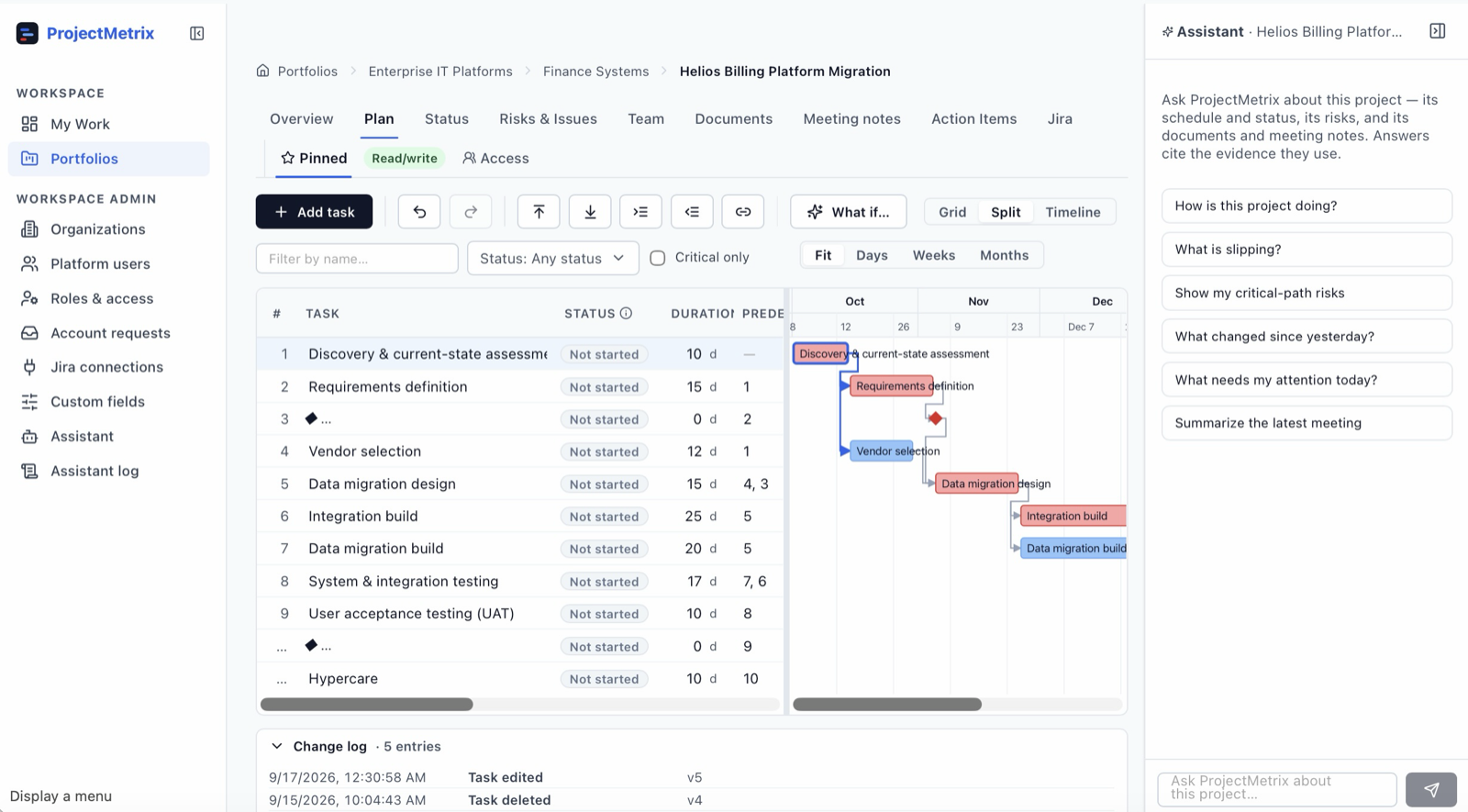
Tasks, dependencies, constraints, calendars and baselines. A deterministic critical-path engine computes every date, so the plan is a model that can be reasoned about, not a list.
Progress, float erosion, milestone trends, open risks and outstanding commitments are compared against baseline continuously, and deviations are flagged as they emerge.
The engine simulates what a delay actually costs and what each recovery option would buy. Agents propose the corrective action, with the evidence they reasoned from attached.
A human approves, edits or rejects. The plan is re-computed, the decision and its outcome are recorded, and that record informs the next project's estimates and risks.
Assistants write proposals, not changes. A human reviews and approves in an inbox. Where auto-execution is genuinely safe (a reminder email, a metrics snapshot) it's explicit and configurable, not assumed.
Every proposal cites what it reasoned from: the meeting note and the exact quote, the risks that materialized on similar past projects, the float that's been eroding for three weeks. No citation, no proposal.
Dates, float, impact and metrics are computed deterministically. The language model explains, extracts and drafts. It never does the math. Ask twice, get the same numbers.
Each agent exists to close one gap between what a PM should notice and what a PM has time to notice. These are designed and specified. See the roadmap for what is running today.
Monitors schedule performance, float erosion and milestone trends. Detects slippage while it is still emerging. Recommends modeled recovery options. So that the committed date is defended before it is missed.
Monitors the live risk register and leading indicators across the portfolio. Detects conditions that preceded failures on similar past projects. Recommends mitigations with the precedent attached. So that risk management is evidence-led rather than a quarterly ritual.
Monitors how comparable projects actually ran: durations, sequencing, what went wrong. Detects estimates that history says are optimistic. Drafts a plan grounded in that record. So that new work starts from evidence instead of hope.
Monitors owners, due dates and open commitments. Detects what is drifting or unanswered. Acts by chasing owners and keeping status current. So that the PM stops spending their week collecting updates.
Monitors the plan, the risks and the narrative teams are telling. Detects divergence between reported status and computed reality. Drafts the status report for review. So that reporting takes minutes and says something true.
Monitors meeting notes and delivery conversations. Detects the schedule changes buried in them: new dates, new blockers, new commitments. Proposes a batch of plan updates for approval. So that what was agreed in the room reaches the plan.
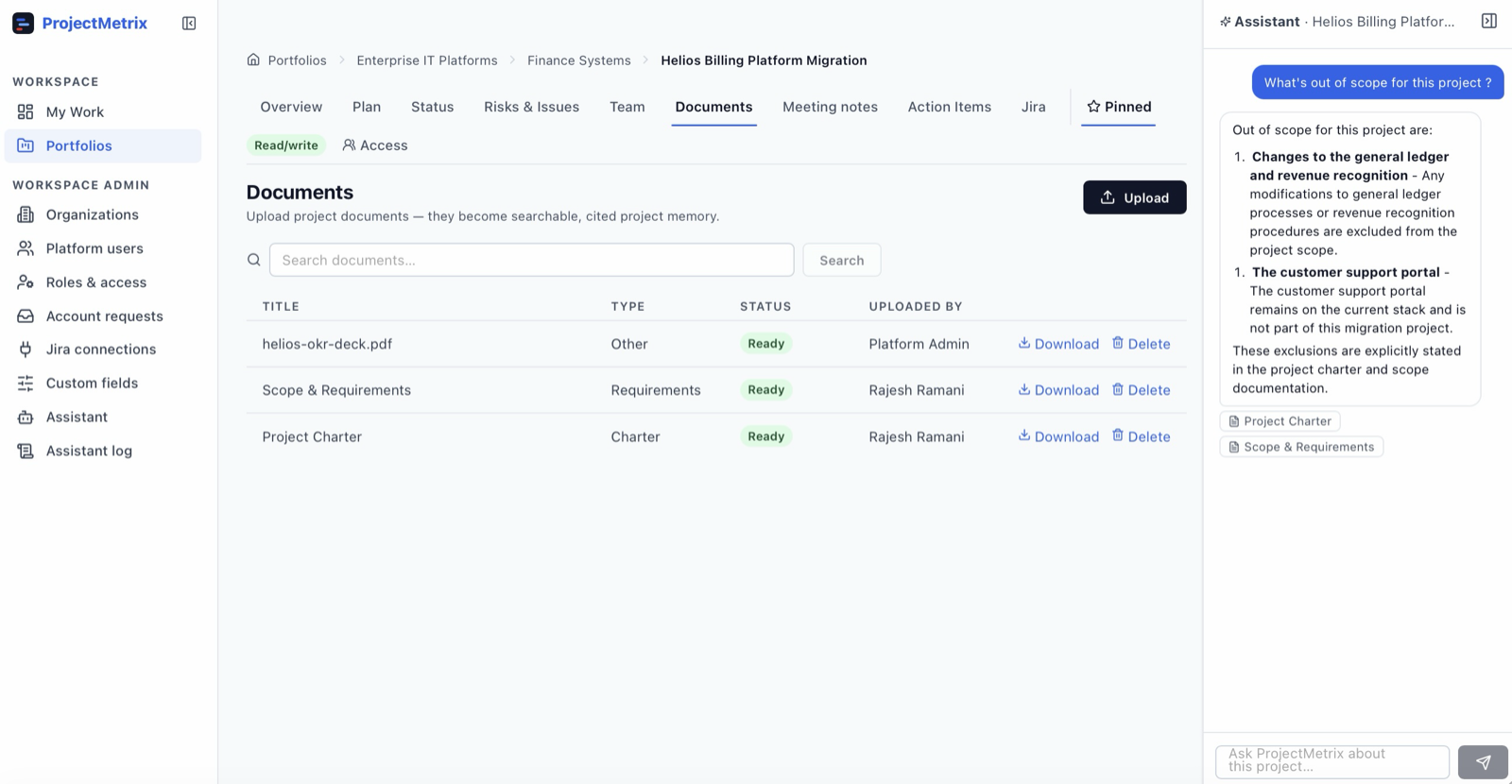
Agents can only perform genuine project control if the project data is trustworthy. That is why the scheduling engine came first: it is what turns a task list into something an agent can reason about, simulate against, and be held to.
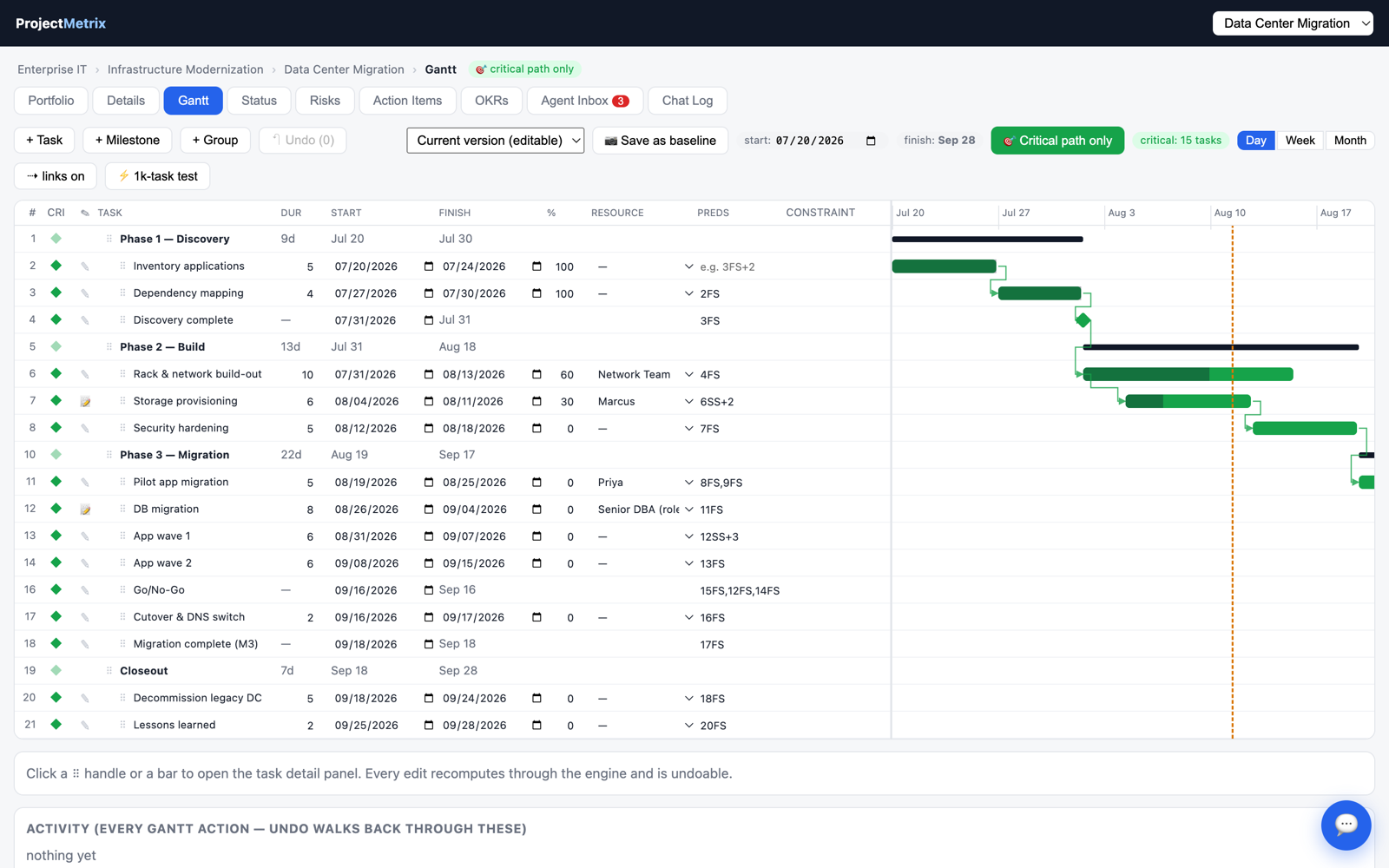
Plans of a thousand tasks and more, with an editable grid beside an interactive Gantt. Durations, dates, predecessors, constraints and resources are all editable inline; the engine recomputes the entire network on every edit and the chart redraws immediately.
Filter to the critical path and the plan collapses to the chain that actually drives your finish date. These are the tasks where a day lost is a day lost on the project.
"How are we doing?" · "What does this task block?" · "Summarize the latest meeting notes." The assistant answers in plain language, grounded in your projects and documents, and every answer cites exactly what it read.
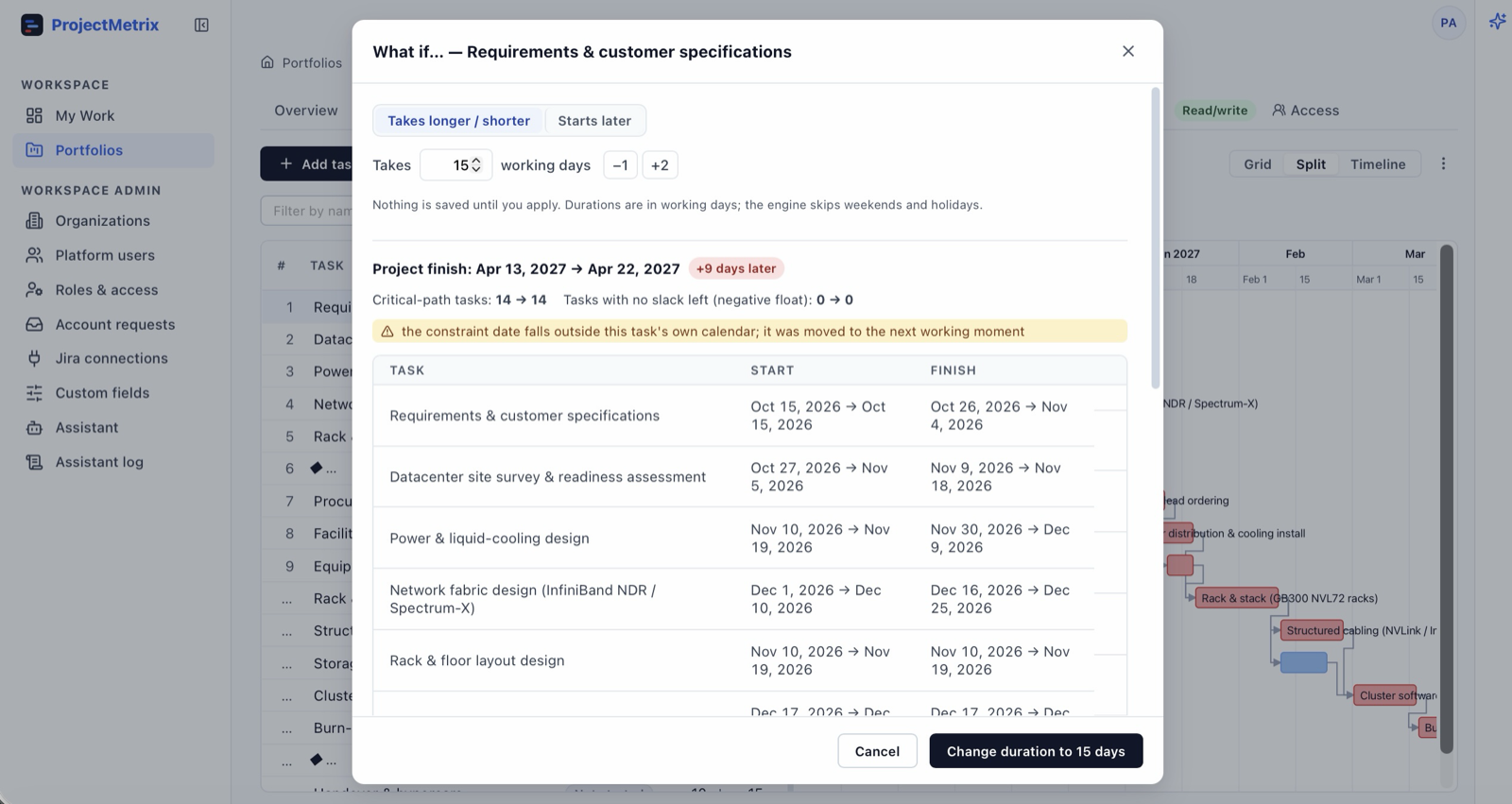
And any change you're weighing can be simulated first. The what-if tool shows which tasks move, which milestones slip, and what it does to the finish date before anything is written, so you confirm or you don't. Editing by conversation is the next step, behind that same preview.
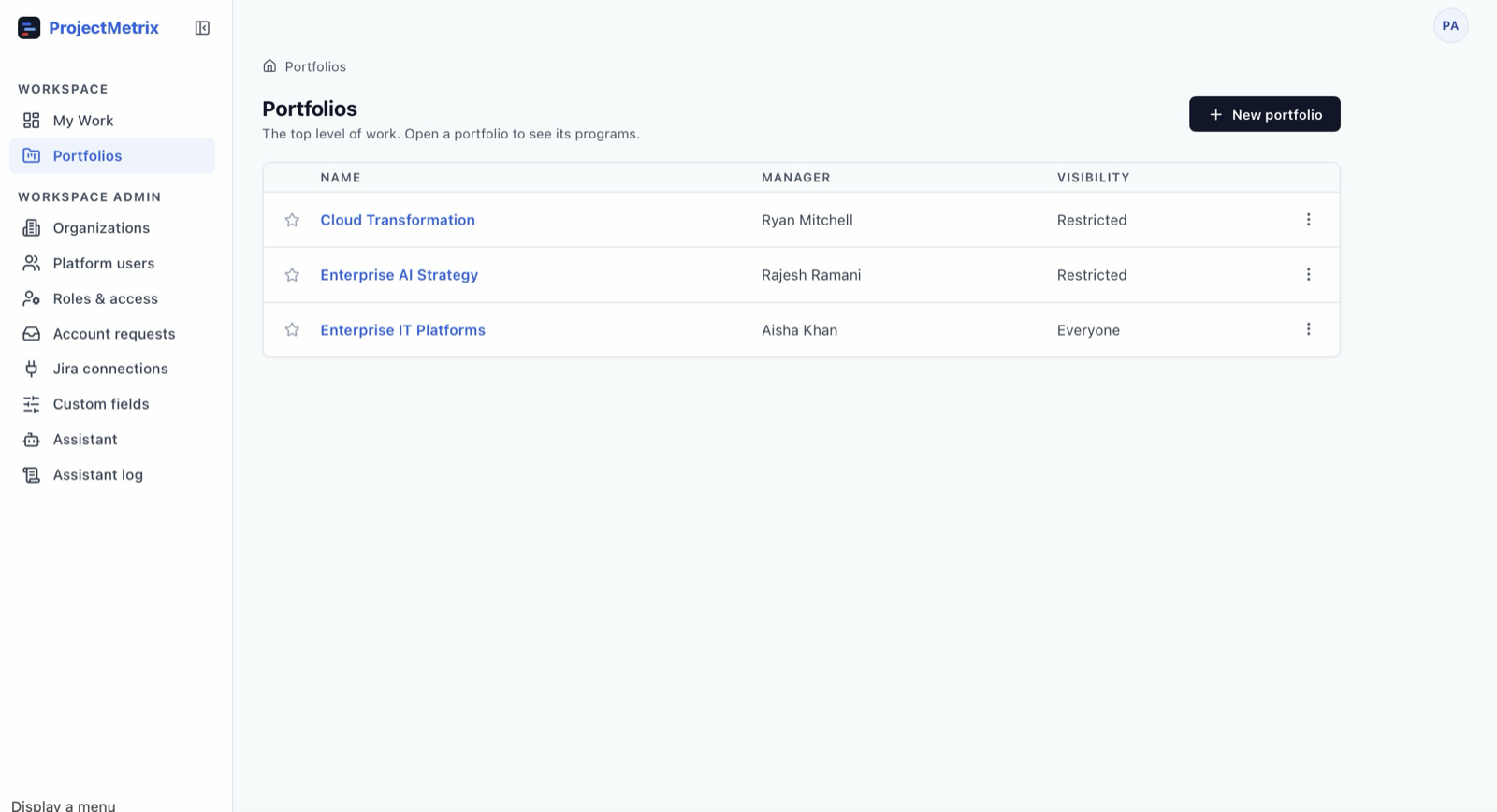
Programs roll up from their projects and portfolios from their programs — health, progress, finish dates, slip against baseline, open risks and overdue actions. All computed bottom-up from the schedules underneath, never hand-entered into a status spreadsheet.
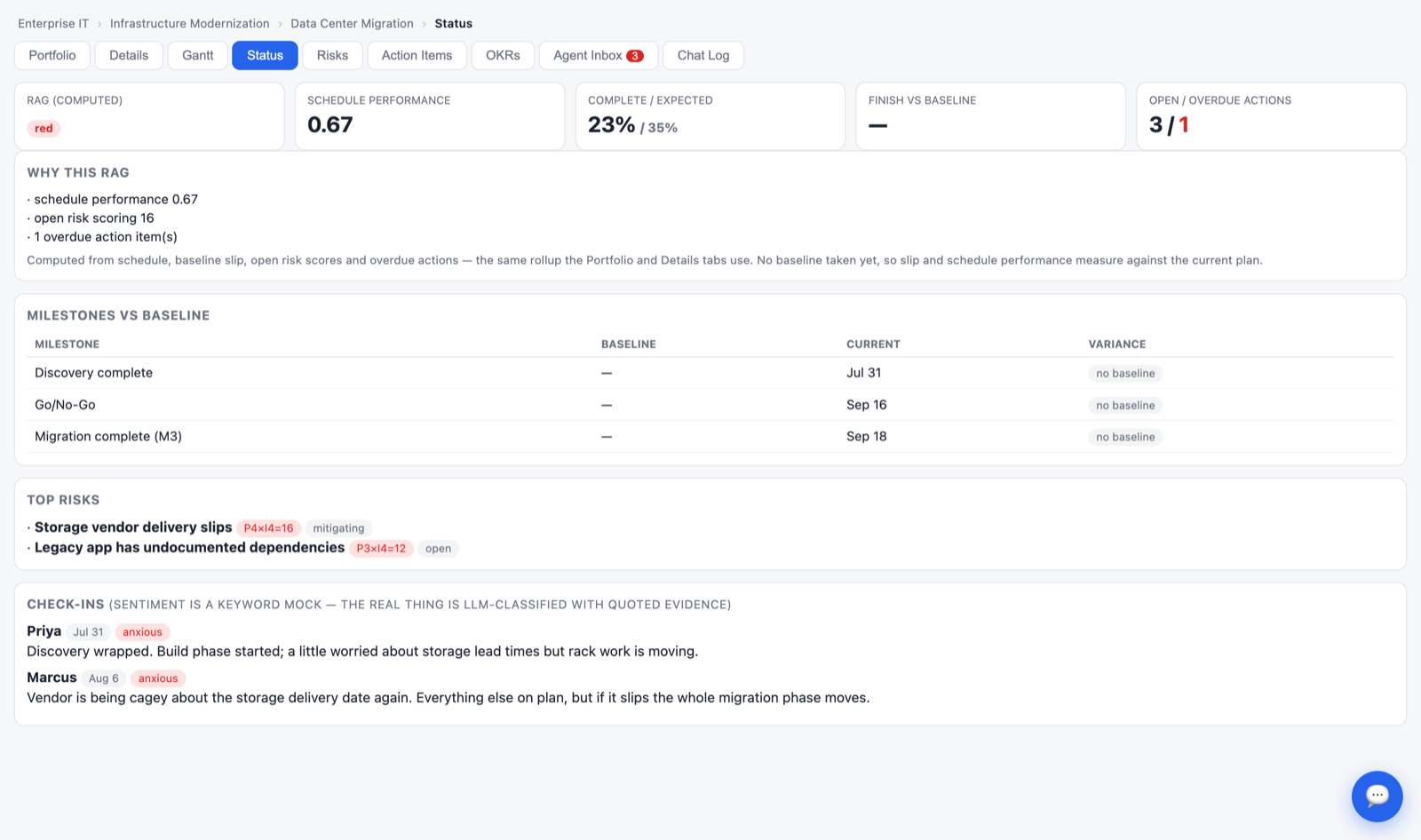
Every status color comes with the reasons behind it: how far the finish date has slipped, how delivery compares with the plan, which risks are live, and what's overdue. Baselines make plan-versus-actual visible instead of anecdotal.
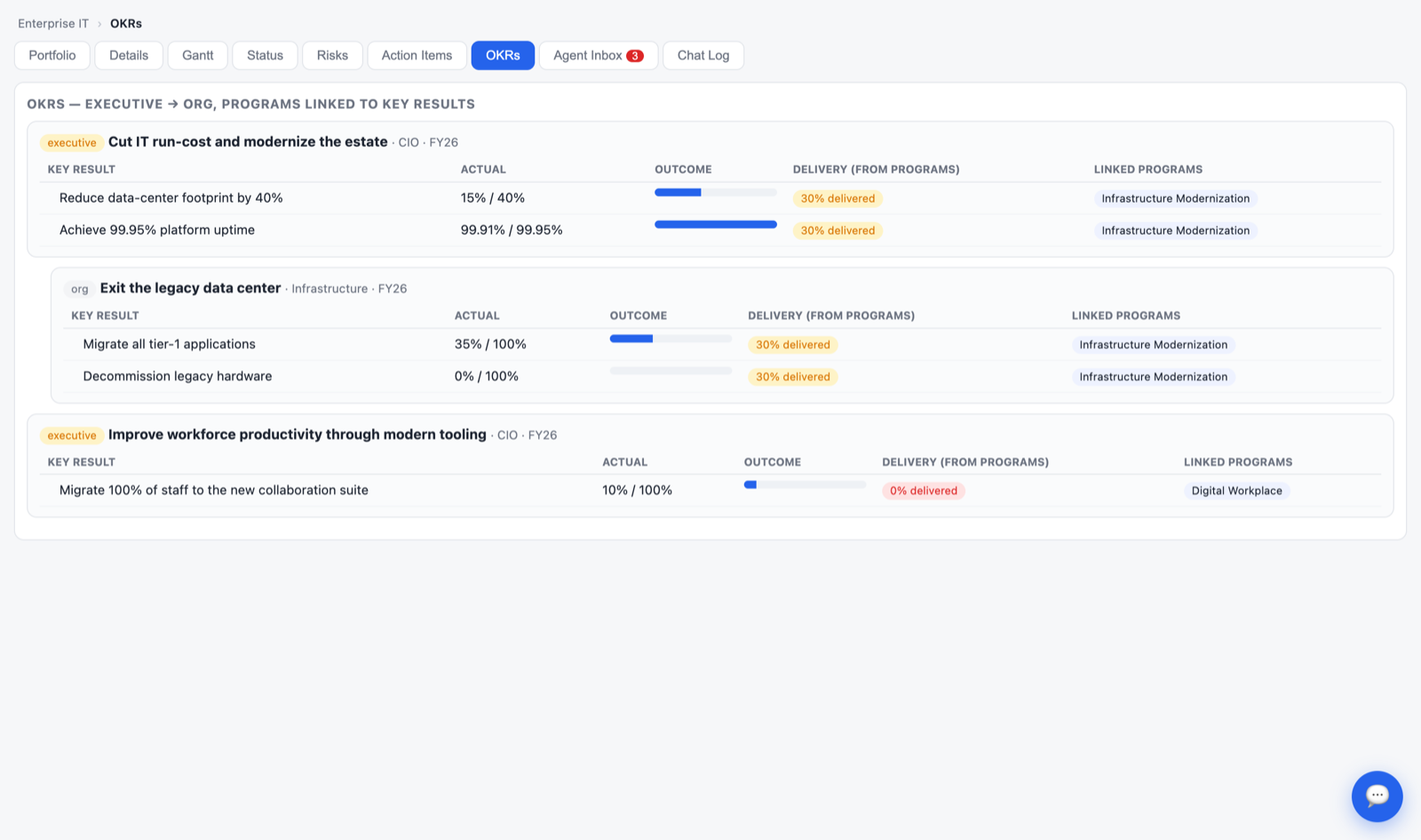
Objectives and key results, with programs linked to the results they're meant to move. Each key result shows two numbers side by side: the business outcome, and the delivery progress rolled up from the schedule.
When delivery reads 100% and the outcome reads 40%, that's the conversation worth having. We shipped it, and it didn't move the needle.
Every plan, every baseline change, every risk that materialized and every date that moved is recorded against the organization that delivered it. That record of planned versus actual, over and over, is what the agents reason from. It is specific to a company and cannot be bought in.
Planned versus actual durations, dependency failures, risks that materialized, decisions taken and what followed them.
Patterns that preceded slippage here start to be identifiable: the vendor lead time that is always understated, the environment handover that always slips.
Planning and risk recommendations reflect how this organization actually delivers, rather than generic project-management assumptions.
Every recommendation carries the history it came from, so a PM can judge the reasoning instead of trusting a score.
This is how the product is designed to work as delivery history accumulates. ProjectMetrix is pre-launch, so there is no customer corpus yet.
The scheduling and data foundation came first on purpose: agents that reason about a portfolio are only as good as the schedule underneath them. What's here today is honest, and so is what isn't.
ProjectMetrix is built and delivered as a tailored deployment for each customer rather than a self-serve signup. If you run a PMO and the problems above sound familiar, or you'd like a walkthrough of the product, I'd like to hear from you.